From address to plan in three steps
PLOT runs in your browser. Free account, no card needed, nothing to download or install. Most people draw their first paddock within fifteen minutes of signing up. Here's the path.
Apply for beta access1. Find your place
Once you're signed in, type your address, or just your nearest town, into the "Where's your place?" box. If it's a rural lot with no street number, try the nearest named road instead and drag the map the rest of the way once you're close.
Every result shows its state and country, so a "Clermont" in Queensland doesn't get confused with a "Clermont" somewhere else. Pick the right one and the editor opens over your property on satellite imagery, close enough to see existing buildings, driveways, dam outlines and fence lines. From that moment you're drawing on the place you came to plan.
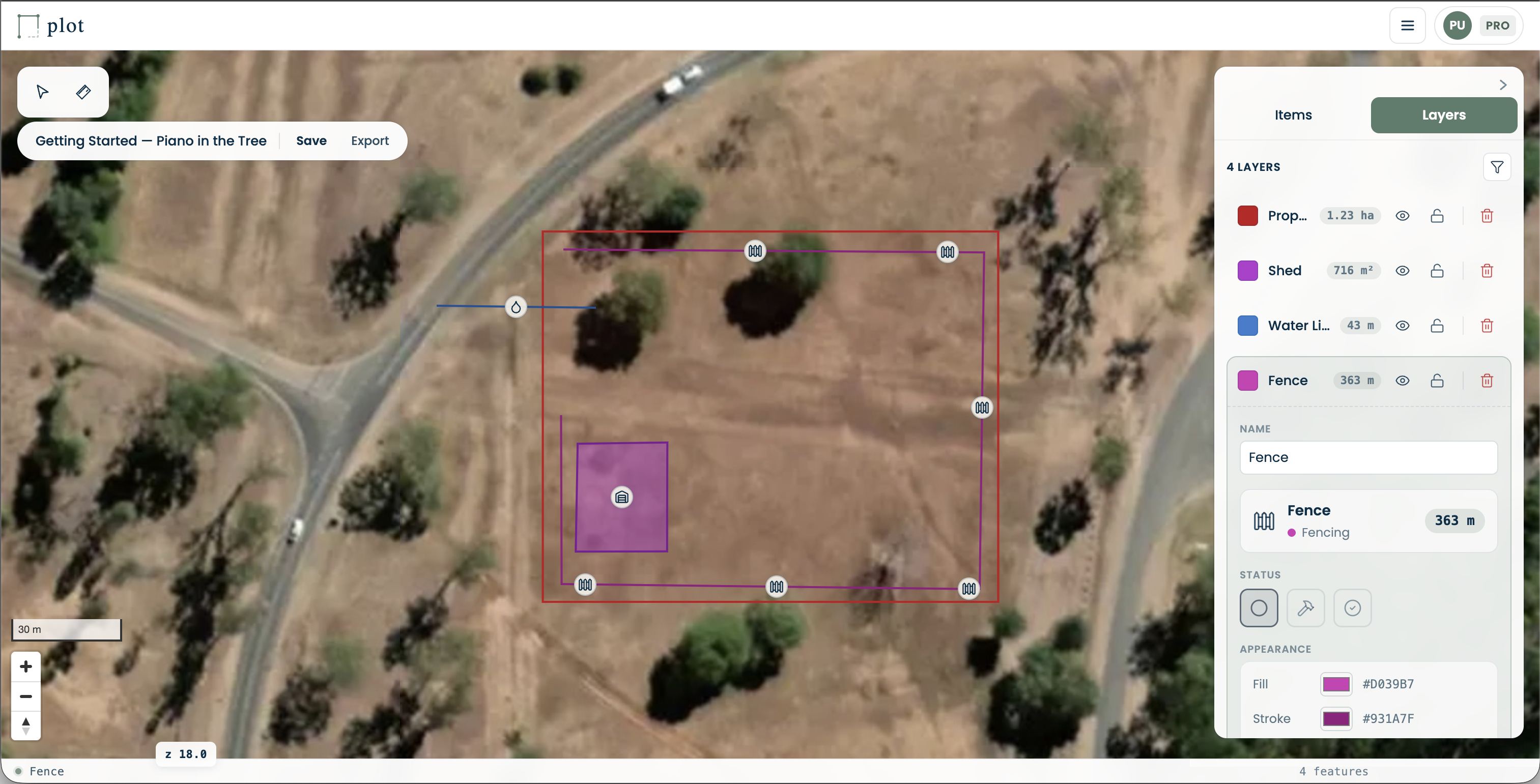
2. Add and draw what you need
Press Add to plan at the bottom of the editor and search or browse for what you want: a paddock, a fence, a shed, a dam, a water tank, or one of 25+ built-in items. Areas and lines take a click per corner and a double-click (or Enter) to finish. Points, like a gate or a tank, drop with a single click.
The area or length shows next to the shape as you draw, so you can see the number settle as you go. Undo and redo work as you'd expect (Ctrl/Cmd+Z and Ctrl/Cmd+Shift+Z), and every change saves itself as you work: locally straight away, and to your account a moment later once you're signed in. Open the same plan on your phone and your laptop, and each one picks up the other's latest changes.
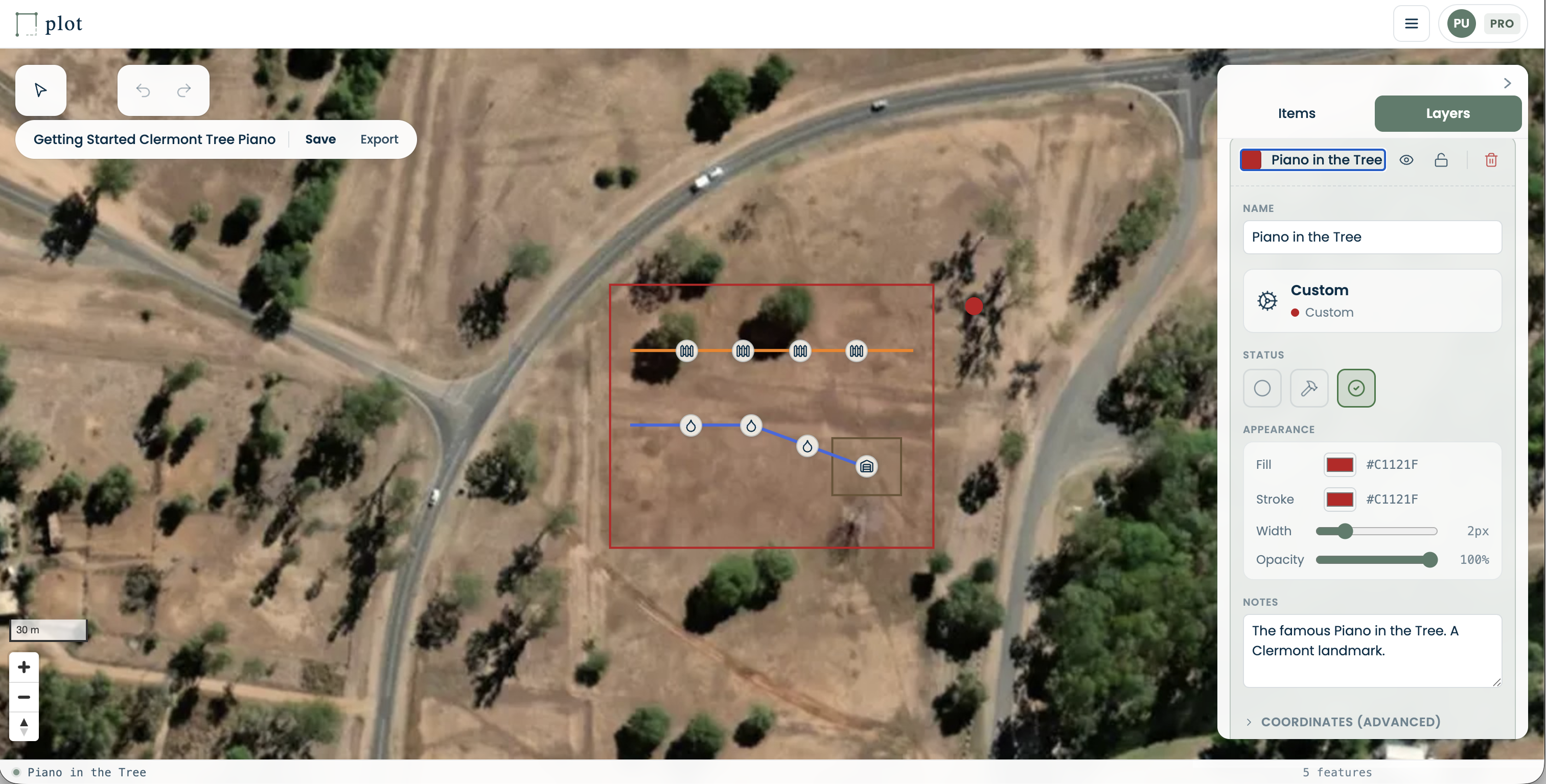
3. Save and share
There's no Save button to remember. Every signed-in account gets cloud save, so you can open the same plan on any device and your most recent edits are already there.
Sharing works on every tier. You can send a view-only link to anyone: your builder, a council officer, a family member. They open it in their browser, no account needed, and can look around but not change anything. From a Pro account you can also invite someone by email to work on the plan with you; whether they end up with Can view or Can edit depends on their own PLOT subscription. You can turn a link off at any time.
Pro also raises the item cap to 50 per plan and the plan ceiling to 20, and adds pins with photos and custom item icons. Pro+ removes the plan limit entirely (unlimited plans and items), allows 20 photo pins per plan and adds priority support. Team adds shared team access, so a whole team can view and edit its plans together. Enterprise keeps all of that and adds white-label and per-deployment options.
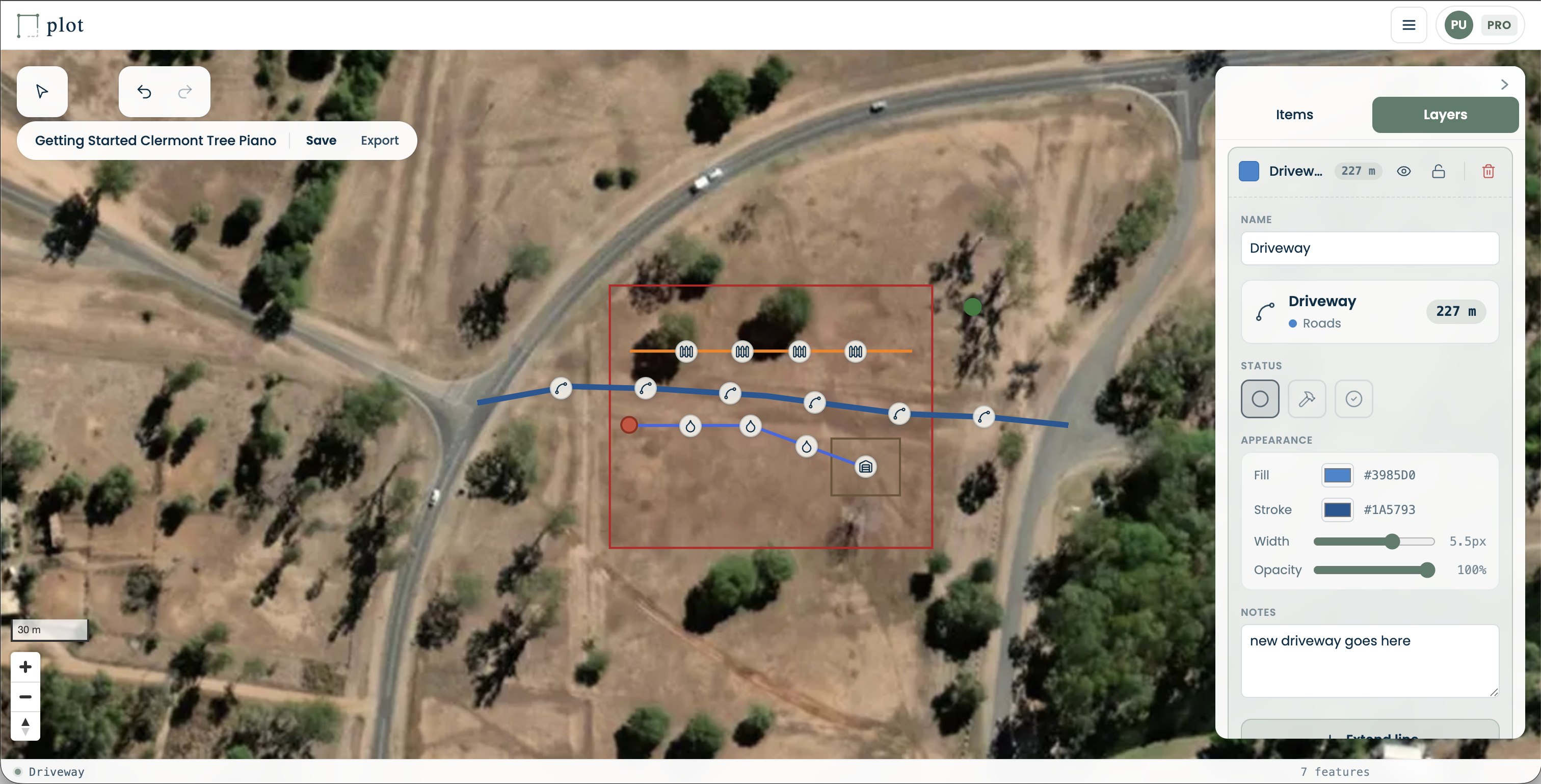
Find your place.
Fifteen minutes from now you could have your first paddock drawn.
Apply for beta access